Live streaming directly from WordPress, no external services required
23 décembre 2025
Laisser un commentaire par admin
Live streaming directly from WordPress, no external services required
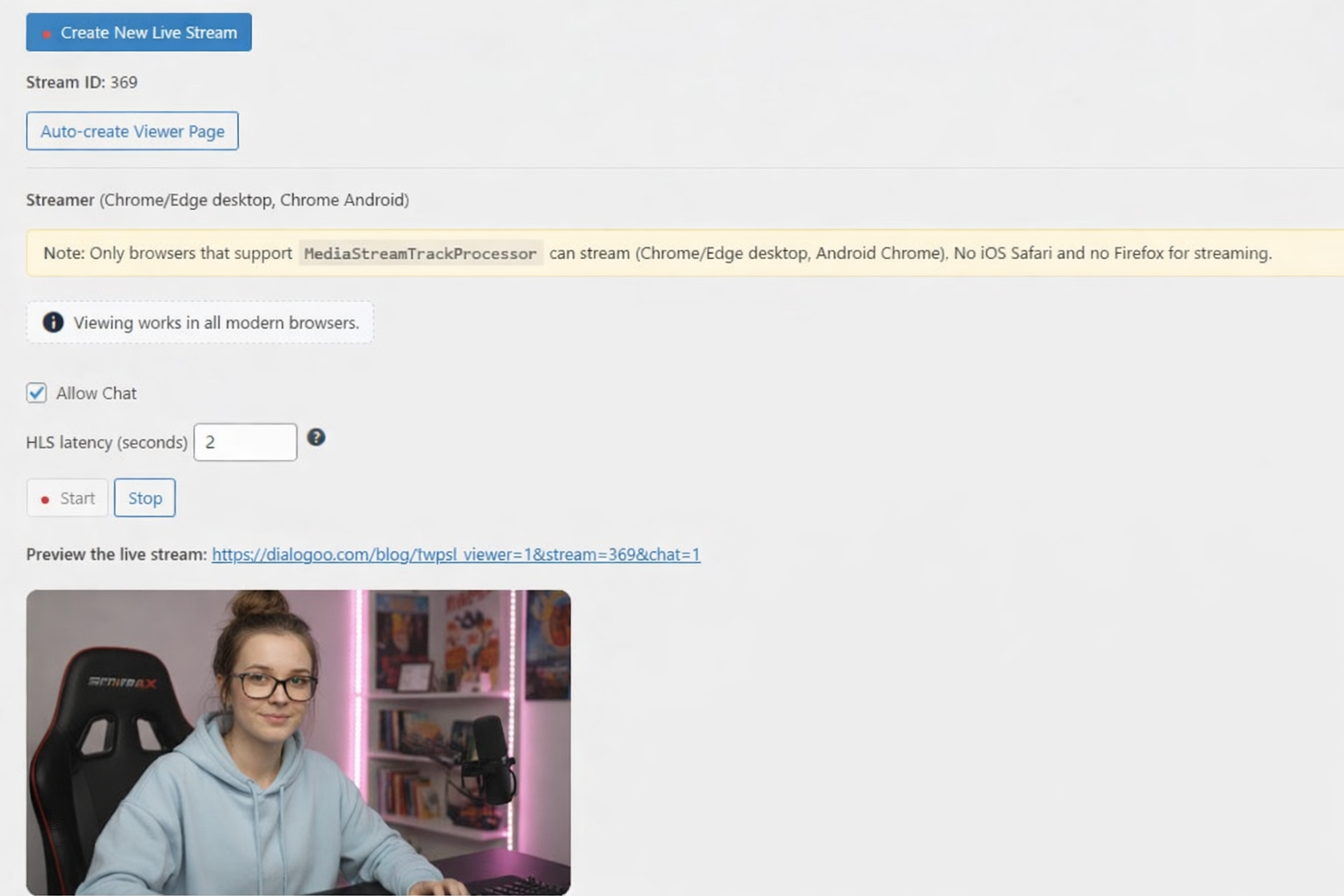
Stream Live – HLS + Chat is a WordPress plugin that lets administrators broadcast live video directly from the WordPress Admin panel, then automatically generate a viewer page with an HLS video player and a lightweight polling chat for real-time interaction.
Key Features
- Live streaming from WordPress Admin
- Auto-generated viewer page (one click)
- HLS video playback (desktop & mobile compatible)
- Built-in chat system (polling, low overhead)
- No external streaming services required
- Fully self-hosted and WordPress-native
How It Works
- The admin opens Stream Live in the WordPress dashboard.
- Click Start Streaming to begin capturing video and audio.
- The plugin generates HLS segments and playlist served by your site.
- Viewers open the auto-created viewer page to watch the live stream and chat.
Installation
- Upload the plugin via Plugins → Add New.
- Activate Stream Live – HLS + Chat.
- Open Stream Live from the admin menu.
- Click Create Viewer Page.
- Start streaming.
Usage
- Start / Stop streaming from the WordPress Admin
- Share the viewer page URL with your audience
- Chat with viewers in real time during the live stream
Requirements
- WordPress 5.9 or later
- PHP 7.4 or later
- Modern browser (Chrome, Edge, Firefox)
Typical Use Cases
- Live announcements
- Online courses & training
- Church services
- Community events
- Private or internal streams
- Lightweight live shows without third-party platforms
Why Stream Live – HLS + Chat?
Unlike traditional streaming solutions, this plugin does not rely on external streaming servers or third-party platforms. Everything runs directly on your WordPress installation, giving you full control, privacy, and ownership of your content. imaubreykeys nude florencexg